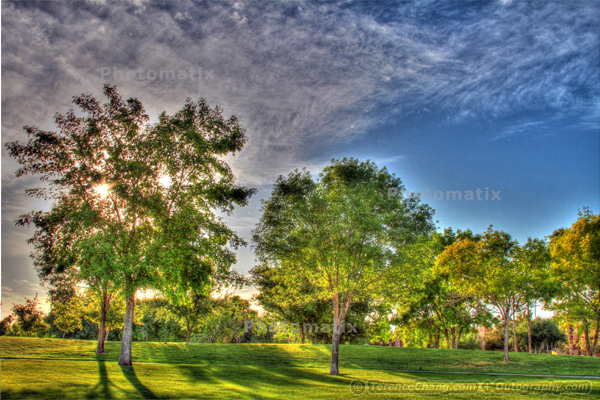
One thing that HDR image fascinates me is the details of the image. It’s unbelievable that how much details a HDR image can reveal. I think I will definitely purchase the Photomatix Pro to remove the watermark. This is the third HDR Image I’ve ever done. What I don’t like is that it reveals too much dark cloud on the left top corner and the edge between sky and the top of the tree on the right side. I can probably retouch it in the Photoshop. I really like the bottom part where the tree’s shadow touch the grass.
What do you think?
The first one Rose isn’t that much dramatic and the second one lake houses looks like painting. Again, if you look at the original photo, it’s really boring.
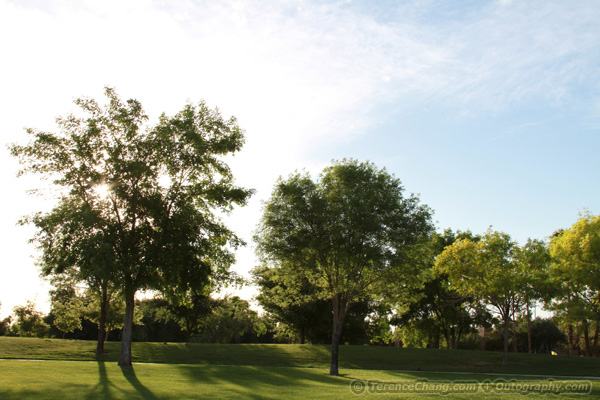
Camera: Canon 7D
Software: Photoshop, Photomatix Pro


Terance – Thanks for your comment. I always use the tone enhancer in Photomatix and I just play with the sliders until I get an effect that I like. Two tips for you if you don’t mind. Decrease the saturation for this one because the green is looking a little crazy. You can also decrease the halo that you get around the objections like the trees by decreasing the strength slider and increasing the smoothing slider.
Great job with your work, I’m glad we inspired you and I look forward to seeing your future work.
Jason Hines recently posted..The Granite Dells
@Jason:
Thank you again. As a novice in the HDR world. I take any suggestion. I agree with you on the crazy green color. That is over what I expect from the original photo. I am also wondering if the color has something to do with my laptop LCD screen. To me personally, HDR image isn’t really about the camera that can take several shots at one time. It’s more about using the software to make the photo look the way you want from the art perspective.
I had great time enjoying taking the photos and process them. Now I need extra compact flash cards for all these extra shots.
Thank you!